An Old Paper Scroll: Blender 3D Modeling and Spline Lighting & Materials Study
Recently I started using Blender again, so I decided to keep a record of my learning progress.

Final Result
Here’s what I created this time.
※Exported in a Spline scene
Preview link (Spline) 👉https://my.spline.design/untitled-eIe0ia7htYTS7IgUYXSvPx5g/
I created this with the idea of a magical book or scroll that you might find in a dungeon in an RPG game.
In Spline’s performance test, it achieved a loading time score of 99.
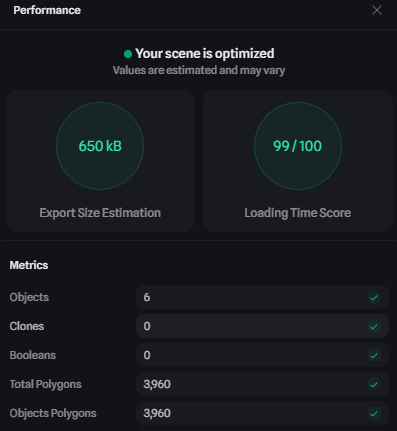
I feel like I could have reduced the polygon count a bit more, but I’ve only recently started learning topology, so I still have a long way to go… It’s difficult. -_-
Purpose
The purpose of this project was to practice modeling in Blender and to study materials and lighting using spotlights in Spline.
I wanted to challenge myself with a 3D model that cannot be created in Spline, so I chose to create a rolled paper scroll.
The final rendering was done in Spline, and I aimed to create a slightly mysterious, magical atmosphere using spotlight lighting, which I don’t usually use.
Tutorial Reference
For the 3D modeling in blender, I followed a tutorial video by crdhans.
I added thickness by applying a solidify modifier to a path.
It was fun using the knife tool to create details along the edges of the paper.
As a side note, I was reminded that tutorials around 20 minutes long are the easiest to get into.
I also upload Spline tutorial videos on Spline Universe, but once they go over 10 minutes, video editing becomes really tough (´;ω;`)
I should update my content soon…
3D Model Created in blender
Here is the completed 3D model.

The loop cut may have gone wrong partway through, and the center ended up slightly angular, but I hid it with a belt that I added later. (;´・ω・)
Material Creation and Lighting in Spline
After finishing the modeling in Blender, I imported the model into Spline and started working on materials.
This time, I created three materials: the paper, the inner side of the belt, and the outer side of the belt.

At one point, I considered using a paper texture image, but I wanted to express everything using layers within Spline as much as possible, so I didn’t use any texture images.
To create a slightly aged look, I layered multiple noise effects.
Some stains and ink bleeding on the paper were expressed, but adding more wrinkled paper detail would have improved it further.
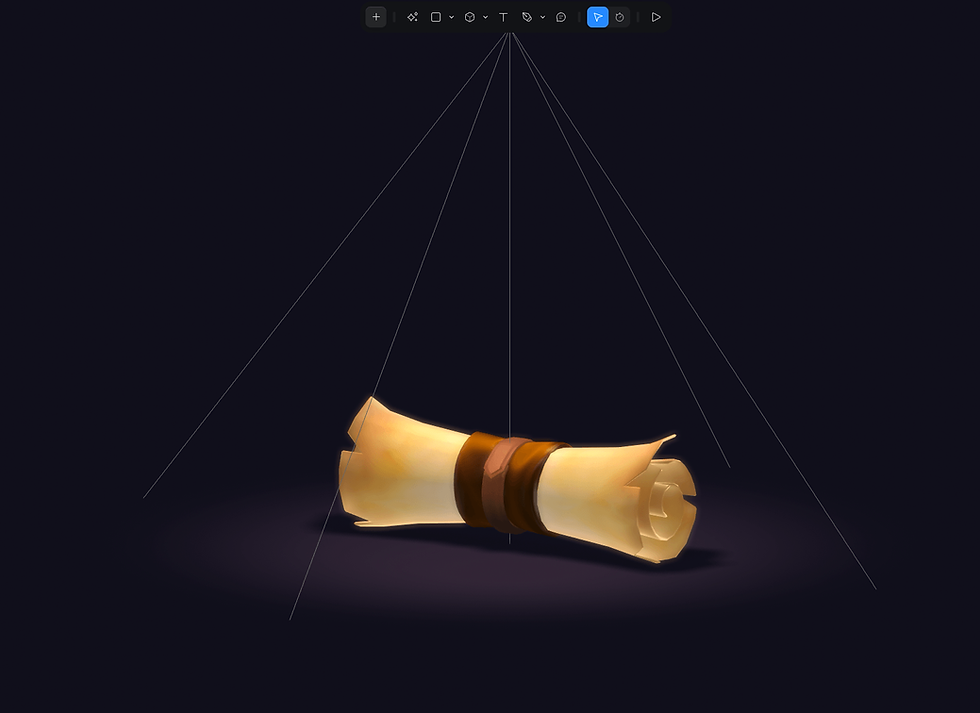
To add a bit of a magical feel, particles were included.
While particles can also be created in blender, they are much quicker and easier to control in Spline. For lighting, I used spotlights, which I don’t usually use.
In actual games, collectible items or key items are often placed in a way that makes them stand out.
Reflections
I still struggle a lot with 3D modeling, so I want to expand the range of shapes I can create and properly study topology for optimizing scene size in Spline.
With Blender, I tend to use it for a while, then stop for a few months, forget how to use it, and come back again.-_-
I guess the only way forward is to keep modeling and build more experience.
Spline Remix Scene Available
The 3D scene I created is now available as a remix in Spline.
If you’d like to see the materials and scene effects in action, feel free to check it out.
👇paper scroll_game prop / Spline Community
You can try Spline, a 3D tool for creating interactive 3D scenes from here:


