【2026】Envato for designers: Subscription-based unlimited creative assets & AI tools
Updated: Jan 27

Among the many stock asset platforms available, which ones do designers and creators usually subscribe to?
Well-known options include Adobe Stock and Shutterstock.
For the past few years, I have been using three annual subscriptions in parallel: Adobe Stock, Envato, and Freepik.
Among them, this article focuses on Envato, which has recently seen major improvements in its AI features and now offers a strong lineup of lightweight JSON-based animations as well as a wide range of video assets.
What is Envato?
For those who are hearing about Envato for the first time, Envato is a stock asset platform where you can download a wide range of design assets, similar to Adobe Stock.

Envato is an Australia-based platform, the same country that created Canva.
As of 2026, it offers more than 26 million creative assets, and because it uses a flat-rate subscription model, users can download unlimited creative assets without usage limits.
The website design is clean and easy to navigate, and it supports both light mode and dark mode.
I personally use Envato in dark mode most of the time.


Envato provides many different types of assets, so in the following sections. Here I will introduce them by category.
Stock Photos
Envato has expanded its collection of japanese model photo assets
Envato’s photo library used to lean more toward emotional, lifestyle-style imagery similar to Unsplash.
However, in recent years, the diversity of models has expanded significantly, and the platform now offers a much richer selection of photo assets featuring Japanese models.
One creator I recently discovered is cait00sith, who provides a wide range of versatile stock photos.
These include not only business-oriented images such as people in suits and office meeting scenes, but also photos set in caregiving and medical environments, student life, sports gyms, and everyday scenes in ordinary homes. This variety makes the collection highly practical for many different use cases.

For business-focused Japanese photo assets, wear-it-out is another creator worth checking out.
Their collection includes images of multinational business professionals wearing suits, making them ideal for designs that highlight themes such as multiculturalism and diversity.

These assets are especially useful for modern corporate branding and contemporary company visuals, and they are a great example of how Envato continues to offer unlimited creative assets suitable for today’s global design needs.
High quality landscape photography
Landscape photos that are commonly used in design projects also feel more accurate and reliable compared to those on platforms like Freepik.
On Envato, when searching for well-known locations such as Shibuya Scramble Crossing, Odaiba’s Rainbow Bridge, or Tokyo Skytree in Oshiage, the results showed images that closely matched the real locations and their visual impressions.
The displayed assets were highly relevant to the search keywords, making it easier to find usable, high-quality landscape photos among Envato’s unlimited creative assets.

Important notes when using photo assets
One important thing to note is that Envato currently does not offer a filter to distinguish whether assets are AI-generated or not.
Platforms like Adobe Stock and Freepik allow users to filter search results to include or exclude AI-generated content. However, Envato does not currently provide this option.
Because of this, it is important to fact-check photo assets, especially to confirm whether an image accurately represents a real location or scene.
Envato photo asset filter options
As of 2026, Envato allows users to filter photo assets using the following three options.
People (number of people in the image)
Color
Orientation(Landscape, Portrait, or Square)

For example, when searching for photos to use in business-related designs, you may want images with no people, a blue color tone, and a horizontal layout. In that case, you can apply the following filters.
Keyword: business
People : No People
Color : Blue
Orientation : landscape
The search results will look like this.
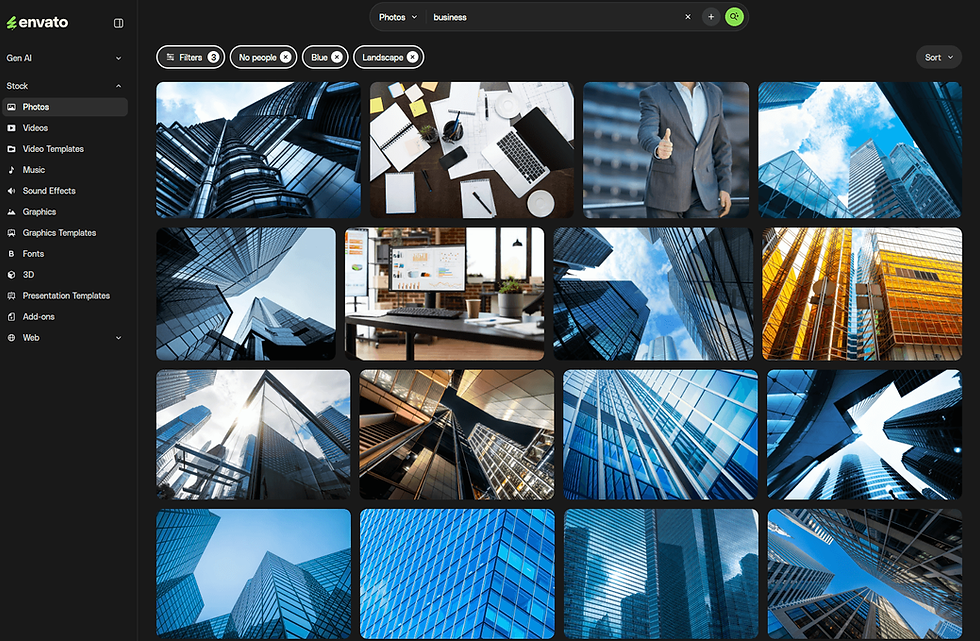
Although some of the photos still include people, their faces are not visible in the frame.
This suggests that the “No People” filter is defined based on whether a person’s face appears in the image, rather than whether a person is present at all.
Royalty-free stock videos (video footage and motion graphics)
Envato’s video assets are divided into two main categories: Videos (stock footage) and Video Templates.

Assets suitable for advertising, video editing, and website backgrounds
These assets can be used for a wide range of purposes, from advertising and video editing to website backgrounds.
Stock video footage for editing or website backgrounds includes a broad selection of content, such as clips featuring people as well as abstract graphic and texture-based motion footage.
In addition to video editing for platforms like YouTube, many assets are designed with generous negative space, making them easy to use for titles and text overlays.
This makes them especially useful as visual elements in website design.
For this reason, Envato is not only convenient for video editors, but also a highly practical stock platform for web designers.
Video footage filter options
The filter options for stock video assets (Videos) are much more detailed than those for photo assets.
As of now, Envato offers the following 13 filter categories for video footage.
Category
Orientation
Resolution … 720p, 1080FHD、2K、4K
People … from no people to groups of three or more
Age
Couple
Properties … alpha (transparent background) or loop
Setting … seasons, urban environments, schools, workplaces, beaches, and other natural or contextual locations
Theme … technology, travel, sports, family, medical, and more
Time of day … sunrise, day, night
Events … Lunar New Year, Christmas, weddings, graduation ceremonies, and more
Length
Frame Rate

The ability to filter video assets in such detail is one of the strongest advantages of Envato’s video library.
Video duration can also be adjusted using a simple scrollbar, making the overall user experience intuitive and easy to understand.

Editable video templates
In addition to stock video footage, Envato also offers a category called Video Templates.

Personally, I use these video templates more often than the stock video footage mentioned earlier.
These templates can be used simply by dragging and dropping them into Premiere Pro or After Effects, making them ideal for quick opening animations, callouts used in video editing, captions, and mockup videos.
The design styles range from cinematic to pop and playful, as well as simple and clean.
Envato offers a wide selection of stylish, high-quality video templates, and this rich lineup of video templates was the biggest reason I chose Envato in the first place.
Video template filter options
Video templates can be filtered using the following four options.
Category … titles, promotions, infographics, and more
Application Supported … After Effects、Premiere Pro、Apple Motion、Final Cut Pro、DaVinch Resolve
Plugin
Resolution … 720p, 1080FHD、2K、4K

Some template packs, such as light leaks and light overlays, include as many as 80 variations in a single asset, making them very cost-effective.

Transition video templates are also highly recommended.
When you use the filter to select templates that do not require plugins, you can simply download the asset from Envato and drag and drop the .mogrt (Motion Graphics Template) file directly into Premiere Pro to start using it immediately.

Royalty-Free Music (BGM・SE)
Envato’s audio assets are divided into two main categories: Music, which is suitable for background music, and Sound Effects, which focus primarily on sound effects.
Music(BGM)Assets
The Music category mainly includes tracks designed for use as background music.
On the search results page, you can easily see the number of available variations (such as short versions or full versions), the audio waveform, playback length, and BPM at a glance.
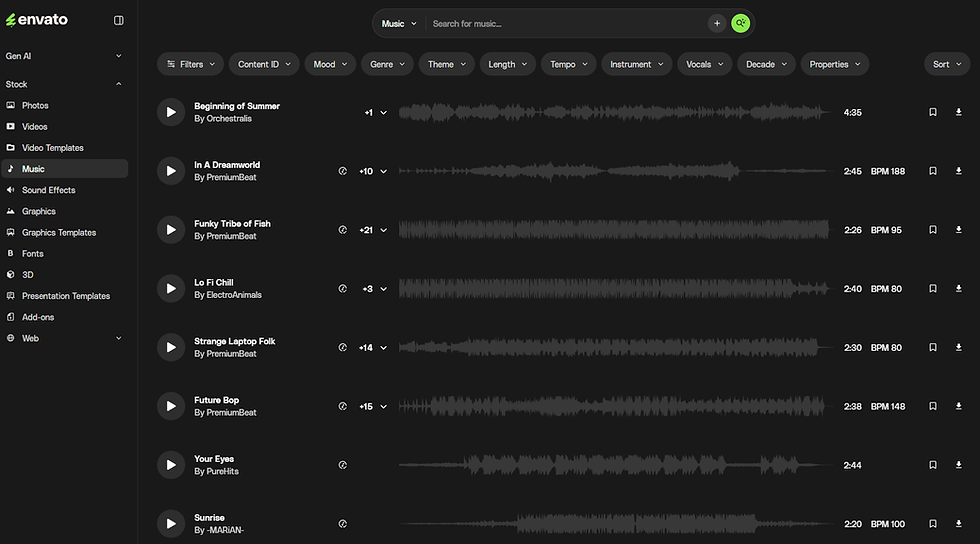
Many music assets also include multiple variations within a single download, which makes it easy to adjust and select the right version depending on how and where the asset will be used.
Music asset filter options
The filter options for music assets are very detailed.
In addition to playback length and musical themes, you can also narrow results based on instruments used.
Music assets can be filtered using the following 11 options.
Content ID… automatically clears YouTube Content ID claims
Mood… upbeat, emotional, relaxed, sad, and more
Genre… corporate, rock, lo-fi, cinematic, and more
Theme… documentary, technology, and others
Length
Tempo
Instrument… piano, acoustic guitar, bass, drums, and more
Vocal
Decades
Properties
Categories

These filter options did not seem to be available in my 2024 article, so Envato appears to have significantly expanded its music filtering features recently, making it much easier to find the right assets.
Envato offers music assets suitable for a wide range of use cases, from YouTube video editing to corporate promotional videos and short opening videos for events.
Above all, when combined with the video templates introduced earlier, Envato’s biggest strength is that it allows you to handle both video editing and music selection within a single asset platform.
Sound Effects
Sound Effects are essentially sound effect assets.
Envato offers a strong collection of stock sound effects that are very useful for video editing, and I often use them for subtle animations in motion graphics.

You can easily play audio previews directly from the search results.
In addition, the number of included clips is now displayed on the right side, making it clear at a glance whether multiple variations are included in a single asset.
UI sound effects are particularly easy to use.
For example, I often add soft “pop” sounds when a button is pressed, or swoosh sounds that feel like a quick gust of wind when transitioning between slides.
Sound effects filter options
On the other hand, sound effect assets can be filtered using the following three options.
Category…game, people, nature, futuristic, interface, cartoon, and more
Length
Properties…looped or not
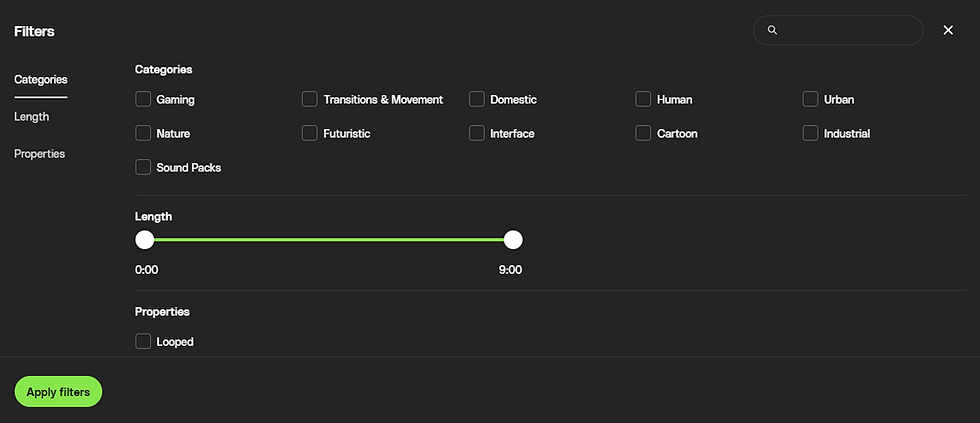
When you select the Human category, you will find sound effects such as applause and crowd ambience voices.
At the moment, most of the voice assets are in English, but it would be great to see Japanese voice assets added in the future as well.
Graphics
Envato’s graphic assets mainly refer to illustration-style resources.
In addition to flat-style illustrations suitable for websites and graphic design, Envato also offers easy-to-use isometric illustrations, as well as a rich selection of texture images and overlay graphics.

Overall, Envato feels particularly strong in effect-style graphic assets such as textures and overlays, which are highly useful for adding visual depth and atmosphere to designs.

Illustration assets are also well covered, including isometric and flat styles, as well as icon sets, making them practical and easy to use across a wide range of design projects.

Supports JSON format and downloadable motion graphics assets
I only noticed this recently, but Envato has added JSON format assets to its graphic asset collection!!
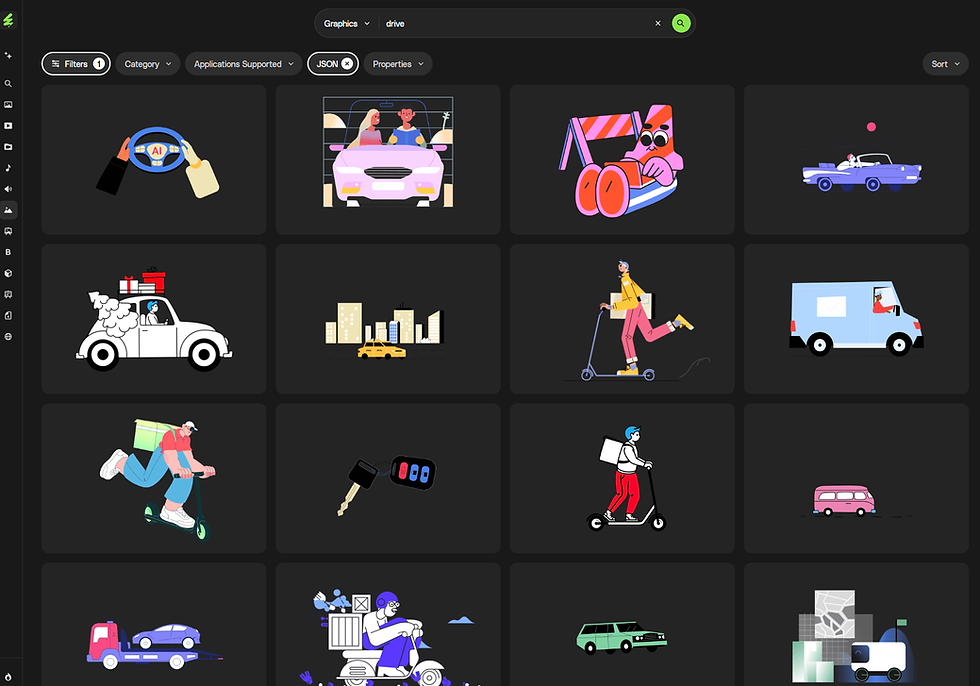
By using these JSON-based motion graphics and loop animation assets, you can display animations on websites and apps at a much lighter file size compared to traditional animated GIFs.
Here is an example where I downloaded a JSON asset from Envato and embedded it into a Wix blog.
The JSON file size was 230 KB.
If this were an animated GIF instead, the file size would be much larger, which could negatively impact site performance and sometimes result in low-quality, pixelated visuals.
For this reason, if you want to add clean motion graphics or subtle UI animations to a website while keeping file sizes lightweight, downloading Envato’s JSON-format assets is highly recommended.
I personally plan to make even more use of these assets going forward.
Graphic asset filter options on Envato
Envato’s graphic assets can be filtered using the following four options.
Category… backgrounds, textures, icons, illustrations, and more
Application Supported… Photoshop, Illustrator, Figma, Sketch, Affinity
File Types… JPG、PNG、JSON
Properties… animated, vector, and more

In addition to the JSON-format assets mentioned earlier, Envato also includes graphic assets for tools like Affinity and Figma, which is something quite unique to Envato.
It’s impressive how the platform supports such a wide range of design tools.
Graphic Design Templates
The graphic assets mentioned earlier are mainly used as individual design elements.
In contrast, graphic template assets include items such as mockups, invoice template designs, and text effect assets that can be used in Photoshop.

Envato offers a particularly rich selection of mockup assets.
In addition to common items like business cards, bags, and cosmetic bottles, there are also more niche mockups such as stationery, menus, and even pizza boxes.
These assets are especially recommended for designers who work in product design.
Graphic template filter options
Envato’s graphic template assets can be filtered using the following five options.
Category… print materials, products, websites, logos, and more
Color Space… RGB or CMYK
Orientation… landscape, portrait, square
Application Supported… Photoshop, Illustrator, InDesign, Adobe XD, Affinity, Figma, Sketch, Canva, Word
Properties… vector or layered

As more people are using Canva these days, these Canva-compatible graphic template assets are definitely not to be missed.
Envato offers a wide range of templates for social media use in particular.
Instagram post template designs are available in multiple formats, including Canva, Figma, and Illustrator, making them easy to use across different design tools.

Fonts
One of my personal favorite categories on Envato is its font assets.

Although the collection is limited to Latin fonts, Envato offers an impressively wide range of styles, from unique and unconventional designs to bold, graphic fonts often seen in fashion and apparel branding.
The variety of font aesthetics is truly rich.
It’s so enjoyable just browsing through the font collection that I regularly find myself exploring Envato’s font assets for inspiration.
Envato is especially recommended for anyone who wants to pay close attention to typography and choose fonts carefully.
Font asset filter options on Envato
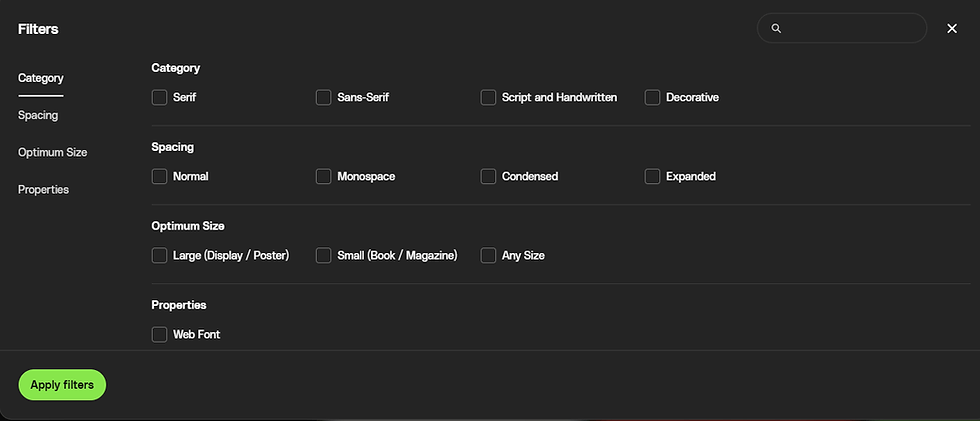
Font assets on Envato can be filtered using the following four options.
Category… serif, sans serif, script or handwritten, decorative
Spacing
Optimum Size… large sizes for displays, small sizes for books, or fonts suitable for all sizes
Properties… whether the font supports web use
For some fonts, the description section also includes details such as available font formats (OTF, TTF, WOFF) and weight variations.

If I had to point out one improvement, it would be great if Envato offered a real-time font preview feature, similar to Google Fonts or Adobe Fonts, where you can type in your own text and preview it directly on the site.
3D Assets
Next one is 3D assets.
Envato offers a rich collection of 3D models, mainly in Blender and OBJ formats.
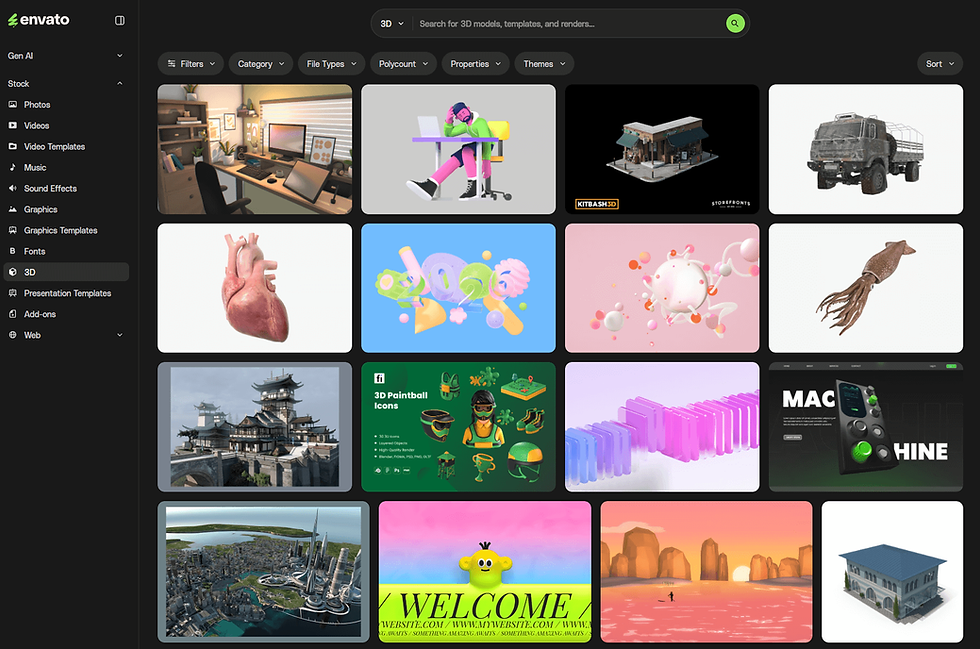
In addition to highly detailed, photorealistic 3D models and textures that closely resemble real-world objects, Envato also provides packs of 3D icon assets.
Envato also features 3D template designs for Spline, an interactive 3D tool that has been gaining a lot of attention recently.
At the moment, Envato is the only stock asset platform that offers Spline template assets, which makes it particularly strong in terms of originality and uniqueness.
Ayaka Fuji, a designer at LITTLE FUJI, also sells Spline template designs on Envato as a certified Spline expert designer.

Currently, OBJ and Blender assets are provided as static models.
However, Spline assets include live preview links, allowing you to check interactions, materials, and 3D models directly in the browser before downloading, which is extremely convenient.

These templates are mainly designed for use in website and app UIs, micro-interactions, and other interactive design contexts.
I would be very happy if you find them useful. I plan to continue adding more templates gradually in the future.
3D asset filter options
Envato’s 3D assets, including Spline template assets, can be filtered using the following five options.
Category… models, templates, renders
File Types… Blender (.blend), Spline, OBJ, FBX, GLTF, GLB
Polycount… total polygon count
Properties… animation, rigged, interactive, and more
Themes… technology, characters, animals, science, marketing, and more

Some assets allow you to rotate 3D models 360 degrees directly on the Envato website and download a still image from any desired angle in PNG or PSD format.
This makes Envato a great option even for those who cannot use 3D software but still want high-quality 3D graphic assets.

Presentation Templates
Envato has a dedicated category for presentation design assets, separate from its graphic asset categories.
This section focuses specifically on presentation and slide design templates.

There are many presentation templates that serve as great references for stylish slide designs and polished pitch decks, making it easier to handle even last-minute presentations.
Above all, it is rare to find a stock asset platform that offers unlimited downloads of not only video, animation, 3D, and graphic assets, but also high-quality presentation design templates, all included in a single subscription.
Presentation design asset filter options
The filter options for presentation design assets are the simplest on Envato, with only one available option.
Application Supported… Keynote、PowerPoint、GoogleSlides

I remember Canva being included before, but it appears that Canva-format templates have now been moved to the Graphic Templates category.
Most presentation templates are available in the standard 16:9 widescreen format.
Since it can be difficult to find well-designed Google Slides templates elsewhere, I often use Envato when I need to create presentation designs specifically for Google Slides.
Add-Ons
Envato also offers a category called Add-ons, which includes various extension-style assets.
These add-on assets mainly consist of items such as brush effects that can be used in tools like Photoshop.
They are especially recommended for designers and illustrators who work with drawing-focused tools such as Photoshop, InDesign, or Procreate, or for those creating more advanced graphic designs.

Add-ons asset filter options
The filter options for add-on assets are also simple, with the following two options available.
Category… brushes, layer effects, and more
Application Supported…Photoshop、Adobe Lightroom、Ilustrator、Procreate、Figma、Sketch

I was particularly interested in the wide range of Procreate brush add-ons, and it definitely made me want to try out more of them.

Web asset
Lastly, I would like to introduce web template assets. Envato’s web asset category is further divided into three subcategories: Web Templates, CMS, and WordPress.
These templates are not available in Japanese and are provided entirely in English.
However, when you are looking for sophisticated, internationally styled web designs or minimalist landing page designs, you can download them in Figma format and adapt them for Japanese-language use.

Web asset filter options
Web assets can be filtered using the following two options.
Category… websites, landing pages, and more
Properties… responsive support, PSD support, and more

CMS template assets can be filtered using the following two options.
Category… Tumblr, Shopify, and more
Properties… e-commerce support, responsive design, and more

WordPress assets can be filtered using the following three options.
Category… themes, plugins, template kits
Compatible With… block editor, Elementor, Bootstrap, etc.
Properties… e-commerce support, responsive design, and more

At the moment, WordPress is the only website builder supported in Envato’s web template category. It would be great to see platforms like Wix, Framer, or Webflow included in the future.
That said, each of these platforms has its own marketplace, so from a licensing and partnership perspective, it may be difficult to make this happen.
Envato’s AI generation features
Lastly, I would like to introduce Envato’s AI generation features.
Envato’s subscription plans include access to AI generation tools.
The number of generations available varies depending on the plan, but with the most affordable Individual plan, you can generate content up to 10 times per month.
Envato’s AI generation features currently include the following 8 tools.
ImageGen… AI image editing
Image Editor… AI image editing
VideoGen… AI video generation
MusicGen… AI music generation
VoiceGen… AI voice generation
SoundGen… AI sound generation (BGM and sound effects)
GraphicsGen… AI graphic generation
MockupGen… AI mockup generation
At the moment, AI Image Edit appears to use Nano Banana Pro for image generation and editing.

With ImageGen (AI image generation), you can upload your own reference images, and Envato also provides a wide variety of preset styles to choose from.

I personally tried using ImageGen to see how it works.
I tested a prompt describing a realistic photo of a child wearing an astronaut suit in a thoughtful pose, and the generated result looked like the example shown below.

I do not usually use AI image generation very often, but I was honestly surprised by how realistic and detailed Envato’s AI-generated results were, far beyond what I expected.
Envato’s AI features are listed on a page called Envato Labs, where you can see all available tools at a glance, so I highly recommend taking a look.
How to Use Envato and Understand Its Licensing Model
For a more detailed explanation of how to use Envato and its licensing model, I introduce this in depth in the article below.

This time, I have included only a summarized version here. If you would like to review the details more thoroughly, please refer to the article above as well as the official Envato website.
●Understanding the Envato Licensing Model
Envato’s licensing allows you to download and use virtually all assets for both personal and commercial projects, including client work, with no download limits while your subscription is active.
One important thing to note is that if you cancel your subscription, you are not allowed to reuse previously downloaded assets for new or different projects.
Envato operates on a single-use license model, meaning each asset can be used for one project only.
For example, if you want to use the same asset in two places, such as a social media banner and a website, you must download the asset twice and register a separate license for each use.
From your download history, you can click “View Licenses” to check your licensing records or register a new license for an asset.

Assets downloaded from Envato can be organized into folders by project.
I usually create a folder for each client project and manage licenses accordingly, which makes license tracking much easier.

●Prohibited Uses
As with other stock asset platforms, redistribution or resale of downloaded assets is strictly prohibited.
In addition, using logo assets directly as the basis for physical products such as printed T-shirts or bags is not permitted.
Assets may also not be used for content that is offensive or harmful, including defamation, pornography, or discrimination.
Envato Subscription Pricing and Plans
Detailed information for each plan can be found on the Envato Pricing page.
As of 2026, Envato’s pricing is as follows.
*Prices are listed in USD.
*Monthly fees shown are based on an annual subscription.
Monthly fee(USD) | Annual(USD) | |
Individual | $16.50 | $198 |
Teams (up to 3 members) | $37.25 | $447 |
Enterprise | Contact for pricing | Contact for pricing |
For full details on each plan, please refer to the Envato Pricing page.

As of now, Envato is running a campaign that allows unlimited AI generations until February 25, 2026.
For most individual creators, the Individual plan should be more than sufficient.
This Individual plan includes unlimited downloads of all stock assets such as images, videos, and animations.
In addition, it comes with AI generation credits allowing up to 10 AI-generated uses per month.
Summary:Envato - Enhanced AI Features and Unlimited Subscription-Based Creative Assets
That concludes this 2026 review and feature overview of Envato.
I personally use Envato both as a creator uploading assets and as a user downloading them.
Compared to other stock asset platforms, Envato stands out for its exceptionally wide variety of usable assets, which is one of the reasons I continue to rely on it.
Envato is especially recommended for video creators, web designers, and directors or multidisciplinary designers who work across multiple creative fields.
If you are looking to expand your creative possibilities, I highly recommend making the most of Envato’s unlimited creative assets in your design work.
Additionally, Envato offers a rich collection of content on its YouTube channel.
You can find videos covering design trends, as well as tutorials and guides on how to use the latest tools. This is definitely something designers should not overlook.
Like Canva, Envato is also an Australia-based subscription stock asset platform.
As Australia continues to gain attention as a hub for creative design trends, it is a country worth watching more closely in the coming years.


